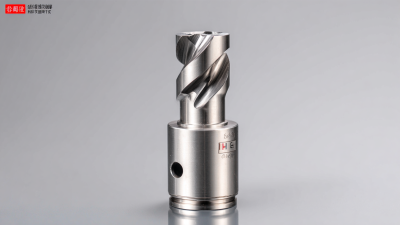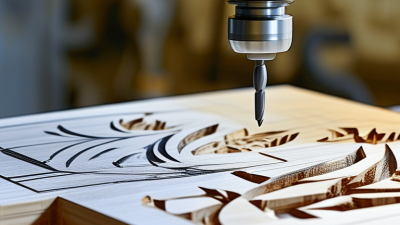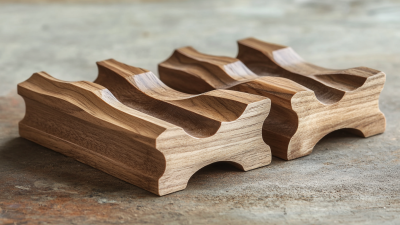
Choosing the right Cnc Router Bits can determine whether a project feels controlled or frustrating. The bit affects cut quality, edge smoothness, machine load, and material waste. A clean plywood edge may require a different design than a crisp acrylic cut. Wood, plastic, aluminum, and composite panels each respond differently under the cutter.
Start by matching the bit geometry to the material and operation. Upcut bits remove chips efficiently, while downcut bits often leave a cleaner top surface. Compression bits can reduce splintering on laminated boards. Consider diameter, flute count, cutting length, shank size, and the router’s maximum speed. Never rely on appearance alone. Check the manufacturer’s specifications and test settings on scrap material.
Small details matter.
A sharp two-flute bit may work well for general woodworking, but it can still burn thin plywood when feed speed is too slow. I have seen operators blame the bit when the real problem was a loose collet, incorrect depth, or poor chip evacuation. That mistake is easy to make. A reliable selection process includes checking runout, securing the workpiece, and listening for unusual vibration. Even experienced users refine their choices after reviewing test cuts. The perfect bit does not exist for every project. The practical goal is a safe, stable, and repeatable result that suits your machine, material, and finishing expectations.
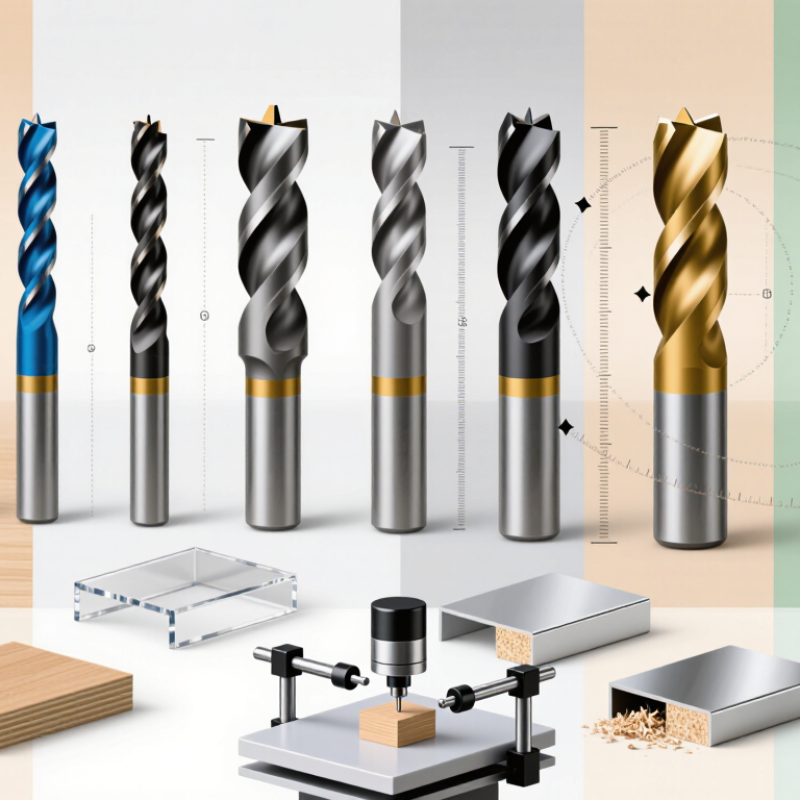
Choosing CNC router bits starts with understanding their cutting roles. A straight bit handles slots, pockets, and roughing cuts. An upcut spiral pulls chips upward and helps clear deep pockets. A downcut spiral presses chips downward, leaving a cleaner top surface. It can compress dust, though. A compression bit combines both actions and suits laminated panels with visible faces.
V-bits create lettering, sharp grooves, and chamfers. Ball-nose bits produce smoother 3D contours, but they remove material slowly on flat areas. For plastics, a single-flute O-flute bit leaves more room for chips. Aluminum usually needs similar chip clearance, controlled feed rates, and suitable lubrication. The Aluminum Association’s 2023 statistical review lists aluminum density near 2.70 g/cm³, reminding operators that heat and chip packing can develop quickly.
Material condition matters more than many charts suggest. The USDA Forest Products Laboratory’s 2021 Wood Handbook places typical indoor wood moisture near 6–8%. That modest variation can affect tear-out, especially across grain. I usually test one scrap piece first. The perfect bit on paper may cut poorly after a dull tool, excessive depth, or unstable workholding. Start with shallow passes. Watch the chips, not only the sound. A dusty trail often signals rubbing, while large hot chips suggest overloaded cutting. My own settings still need revision after each material batch.
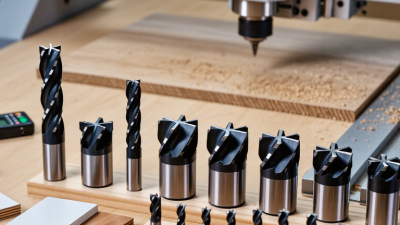
Bit geometry should match both the material and the result you need. Geometry comes before brand. In my workshop, an upcut bit clears chips quickly from deep hardwood pockets, but it can lift plywood veneers. A downcut bit presses the surface fibers down and leaves a cleaner top edge. It may pack chips into narrow slots, though. For plywood panels, a compression bit often protects both faces when the cutting depth engages its upcut and downcut zones.
Plastic needs a different approach. A single-flute O-flute bit provides space for chips and reduces heat buildup. Slow chip removal can melt acrylic along the cut line. Keep the workpiece secure. For MDF, a sharp two-flute bit can produce clean profiles, but dust extraction becomes essential. Fine dust can hide a dull edge and distort your judgment.
Project details also control the choice. Use a smaller diameter for tight corners and a larger one for long, straight passes. Consider cutting depth, feed rate, spindle speed, and machine rigidity together. I once chose a fine-detail bit for a large hardwood sign, expecting better lettering. It overheated and wore quickly. That shortcut cost time. Test a small section first, then inspect the edge, chips, and sound. A clean cut is useful evidence, but it is not proof that the settings are ideal. Record what worked, including the mistakes.
Choosing a CNC router bit starts with the material, machine, and cut type. Start with the material. Wood, plastic, and aluminum respond differently to heat and chip removal. A larger diameter bit removes material faster, but it also needs more spindle power and clearance. For small lettering, use a narrow bit. For wide pockets, use a larger bit with suitable flute length. Avoid burying the entire cutting edge; excessive depth can cause vibration and burning.
Shank size must match the collet exactly. A loose fit can create runout, poor surface quality, and serious safety risks. Fit matters. Keep the bit extension as short as practical, especially during deep cuts. Check the collet for dust and damage before tightening. I have seen clean-looking setups produce rough edges because the bit extended too far. That mistake is common. Bit diameter also affects feed rate, spindle speed, and the load placed on each flute, so copying settings from another cutter may fail.
Cutting direction deserves equal attention. Upcut bits pull chips upward and usually clear deep pockets well, while downcut bits press chips downward and leave cleaner top edges. Compression bits can help when both surfaces need a cleaner finish, but they require enough cutting depth. Match the bit to the machine’s travel direction and planned toolpath. Use a test cut on scrap first. Watch for burning, fuzzing, chatter, or unexpected chip size. These signs often show that speed, feed, or bit selection needs adjustment. My own settings are rarely perfect on the first attempt. Rechecking the cut is part of accurate work.
| Project Requirement | Recommended Bit Type | Typical Cutting Diameter | Suitable Shank | Cutting Direction | Suitable Materials | Key Selection Guidance |
|---|---|---|---|---|---|---|
| General profiling and trimming | Two-flute straight or spiral upcut bit | 3–12 mm | 6 mm, 8 mm, or 12 mm; select a shank that matches the collet | Upcut | Wood, plywood, MDF, and some plastics | Use a larger diameter for greater rigidity and a smaller diameter for tighter curves and detail work. |
| Clean top edges on sheet material | Downcut spiral bit | 3–12 mm | 6 mm, 8 mm, or 12 mm | Downcut | Wood, plywood, MDF, laminates, and coated panels | Pushes chips downward and usually reduces top-surface tear-out. Provide adequate chip clearance and avoid excessive depth per pass. |
| Fast through-cuts in wood | Two-flute upcut spiral bit | 6–12 mm | 8 mm or 12 mm preferred for longer or deeper cuts | Upcut | Solid wood, plywood, and MDF | Efficiently evacuates chips upward. Use firm workholding because the cutting action can lift the workpiece. |
| Fine engraving and lettering | V-bit or engraving bit | Included angle: 30°, 60°, or 90° | Typically 3 mm or 6 mm | Conventional or climb | Wood, plastics, acrylic, and coated boards | Choose a smaller included angle for fine, narrow lines and a larger angle for wider, shallower lettering. |
| V-carving with variable-width lines | V-groove carving bit | 60° or 90° included angle is common | 6 mm or 8 mm | Conventional or climb | Softwood, hardwood, MDF, and sign materials | Set the cutting depth carefully because line width changes with depth. Use a flat, well-surfaced workpiece. |
| Rounded decorative edges | Round-over bit | Radius commonly 3–12 mm | 6 mm, 8 mm, or 12 mm | Follow machine travel | Solid wood, plywood edges, and MDF | Choose the radius according to the desired edge profile. Make multiple shallow passes for a large radius. |
| Recessed grooves and channels | O-flute or straight-groove bit | 3–8 mm | 3 mm, 6 mm, or 8 mm | Upcut | Acrylic, plastics, wood, and MDF | For plastics, a single- or two-flute geometry with sufficient flute space can improve chip evacuation and reduce heat buildup. |
| Cutting acrylic and other plastics | Single-flute O-flute bit | 3–6 mm | 3 mm or 6 mm | Upcut | Acrylic, PVC, HDPE, and other thermoplastics | Use sharp edges, adequate feed, and chip evacuation. Excessive spindle speed with a low feed can melt plastic. |
| Cutting aluminum and non-ferrous metals | Single-flute or two-flute carbide end mill | 3–8 mm | 6 mm or 8 mm | Conventional or climb | Aluminum, brass, and other non-ferrous metals | Use a rigid machine, secure workholding, shallow passes, and suitable lubrication or air blast where appropriate. Do not use a wood-only bit. |
| Reducing tear-out on both surfaces | Compression spiral bit | 6–12 mm | 8 mm or 12 mm | Compression geometry | Plywood, laminated panels, and veneered sheet goods | Set the first pass deep enough for the upcut and downcut portions to overlap correctly; follow the bit’s specified cutting length. |
| High-detail 3D carving | Ball-nose end mill | 1–6 mm | 3 mm or 6 mm | Follow programmed toolpath | Wood, foam, plastics, and non-ferrous materials | Use a small diameter for fine detail and a larger diameter for faster roughing. A finishing pass can reduce visible tool marks. |
| Large-area roughing | Large-diameter end mill or roughing bit | 10–25 mm | 12 mm preferred where compatible | Upcut | Wood, foam, MDF, and some plastics | Larger diameters remove material quickly and resist deflection, but require sufficient machine power and clearance. |
How to Choose CNC Router Bits for Your Projects?
Bit selection matters, but cutting parameters often determine accuracy and tool life. Start with chip load, not maximum spindle speed. Use this formula: chip load = feed rate ÷ spindle speed ÷ flute count. For example, 2,880 mm/min at 18,000 rpm with two flutes produces a 0.08 mm chip load. That may suit plywood, but it is only a starting point. Smaller machines usually need gentler values. Check the cutter’s technical chart, then run a short test cut.
Tool wear has a measurable cost. The U.S. Cutting Tool Institute and AMT reported approximately 2.5 billion dollars in U.S. cutting-tool consumption during 2023. Their report also recorded a year-over-year decline of about 7.7%. This reinforces a practical lesson: unstable settings waste more than material. Keep the cutting depth moderate, especially during narrow pockets. If you hear a sharp squeal, the tool may be rubbing. If the edge turns dark, heat is rising. Fine powder can also indicate insufficient chip removal.
I once blamed a dull bit for a rough plywood edge. The real problem was a feed rate that was too low. I now inspect the chips, measure the finished slot, and adjust one variable at a time. Dust extraction, solid workholding, and a clean collet matter too. ISO 8688 tool-life testing guidance supports controlled comparisons, but workshop conditions rarely behave perfectly. Expect to revise your first settings.
Recommended feed rates for a 6 mm, 2-flute carbide router bit cutting plywood at different spindle speeds. Values are calculated using: Feed Rate = RPM × Number of Flutes × Chip Load.
Practical guideline: A 0.08 mm/tooth chip load is a reasonable starting point for this example. Reduce feed rate for fragile materials or shallow machines, and increase it gradually only when the cut remains clean without excessive heat, vibration, or tool deflection.
Choosing CNC Router Bits for Your Projects
The right bit starts with the material, cutting depth, and finish you need. For plywood, a compression bit can reduce splintering on both surfaces. A straight bit works for simple grooves, but it may leave rougher edges. I test new bits on scrap material first. This small step reveals burning, vibration, or unexpected tearing before the real cut begins.
Listen during the test. A steady cutting sound usually indicates a suitable feed rate and depth. Screeching can signal excessive speed, a dull edge, or poor chip removal. I also inspect the cut with a bright light. Tiny fibers around the groove often show that my settings need adjustment. My early tests are not always perfect, and that is useful feedback.
Clean the bit after every session with a soft brush and approved cleaning method. Resin buildup can change the cutting diameter and increase heat. Store bits upright, separated from metal tools and dust. Check the shank for marks, and confirm that the collet grips evenly. Replace a bit when edges look rounded, chips appear, or cutting requires unusual force. Do not keep using a damaged bit because it “still works.” I have made that mistake. It produced a poor finish and placed extra strain on the machine. Record the material, settings, and bit condition after each project. That simple record makes future choices more reliable.